Device Availability
Continuously monitor cameras, NVRs, switches, routers, access points and other IP devices.
NodeVyu provides centralized visibility into IP cameras, RTSP streams, NVR camera channels, SNMP-capable network devices, remote infrastructure and synthetic checks. Automatic device discovery and guided setup help bring new sites online faster so issues can be identified before they become site visits.
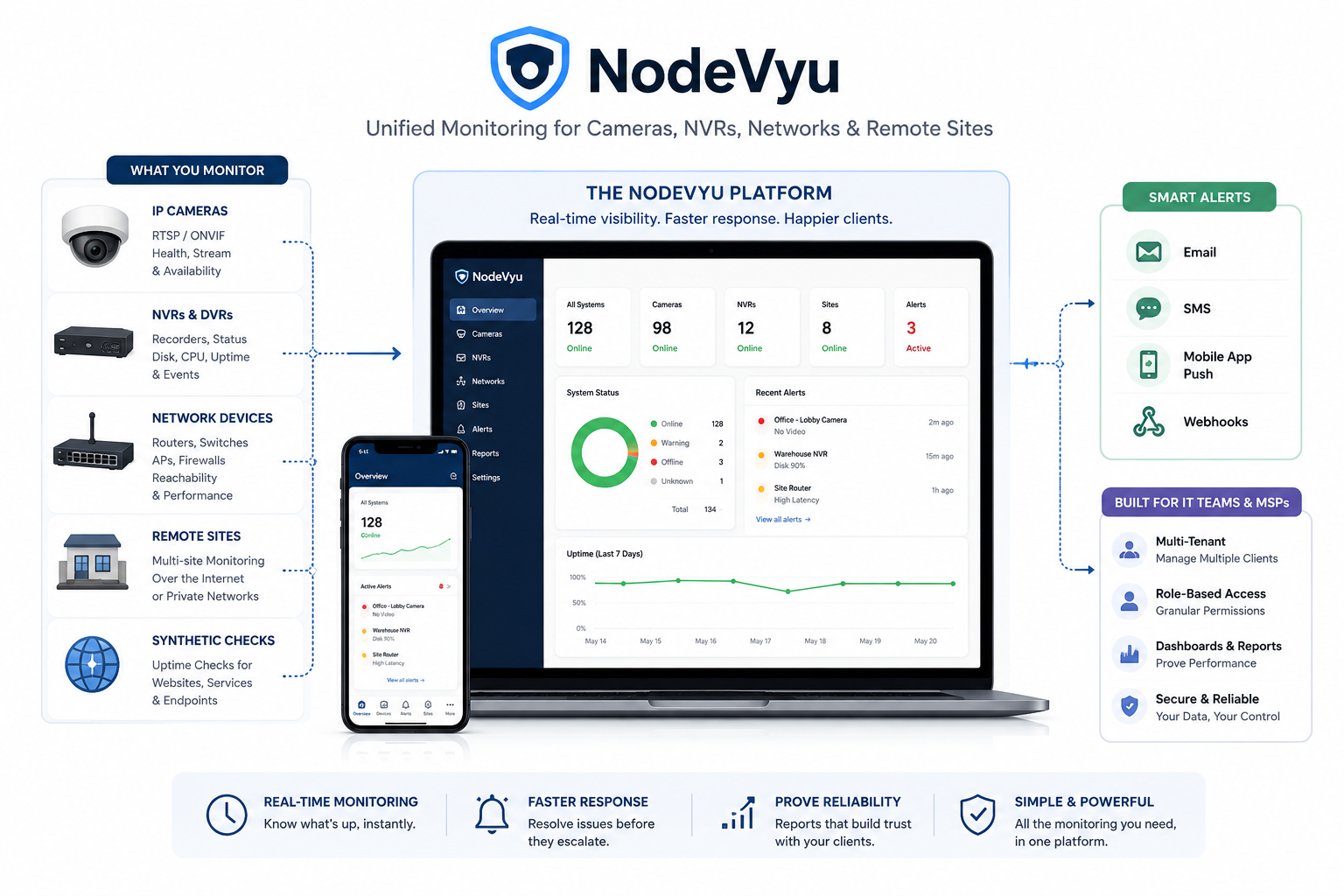
The NodeVyu Agent runs inside each monitored network and reports device health, SNMP data, camera stream status and diagnostic information back to the central platform. It can automatically discover devices on the local network and assist with setup, helping new sites move from installation to useful monitoring with less manual configuration. Instead of treating every outage as the same problem, NodeVyu provides multiple layers of monitoring that help narrow down where a failure actually occurred.
Continuously monitor cameras, NVRs, switches, routers, access points and other IP devices.
Validate RTSP streams, capture camera snapshots and quickly identify video or authentication failures.
Monitor individual camera channels through an NVR and associate those streams with direct camera monitoring.
Monitor supported switches, routers, access points and other network devices using SNMP alongside ping, TCP, HTTP and HTTPS checks.
Scan the local site network to discover devices and quickly identify equipment that can be added to NodeVyu for monitoring.
Build a per-site network map with monitored devices plus manually added infrastructure, then zoom, pan, arrange and drag-to-connect nodes.
Track DHCP-enabled devices by MAC address so address changes can be reconciled without losing the device identity, while unexpected MAC changes remain visible for validation.
Use discovery results and built-in setup workflows to reduce manual configuration and get a new location monitoring faster.
Run local checks, discovery, SNMP polling and host monitoring from inside protected remote networks.
Track outages, recoveries and incident duration without filling the dashboard with duplicate alerts.
A device answering on the network does not always mean usable video is available. NodeVyu can monitor camera reachability, validate RTSP video, collect snapshots and separately check camera channels delivered through an NVR. When direct-camera and NVR-channel monitoring are associated, support teams gain a clearer picture of whether an incident is at the camera, network path, recorder or stream level.
Camera reliability depends on more than the cameras themselves. Routers, switches, wireless access points, Internet connectivity and local services can all affect availability. NodeVyu combines camera monitoring with SNMP, ping, TCP, HTTP and HTTPS checks so the supporting network can be viewed alongside CCTV and NVR health.
The site agent can scan the local network, surface discovered devices and help operators identify what should be added for monitoring. That gives technicians a practical starting point for cameras, NVRs, switches, routers, access points and other equipment instead of configuring every device from scratch.
The topology workspace lets operators arrange monitored devices and add infrastructure that may not be directly manageable, including unmanaged switches, patch panels and wireless bridges. Links can be created visually, and the canvas can be zoomed and panned for larger sites.
IP addresses can change while the physical device stays the same. For DHCP-enabled devices, NodeVyu can use a discovered MAC address as the stable identity, reconcile address changes and keep unexpected MAC replacements visible for operator review.
The site agent performs monitoring from inside the location, making it practical to watch devices on private networks without publishing management interfaces to the Internet. A centralized dashboard then organizes clients, locations, devices, alerts and recovery history for teams responsible for multiple sites.
Current status is only part of the story. Snapshots, validation results, alert details and recovery history provide context when investigating an outage. That helps reduce unnecessary site visits and gives technicians a better starting point before remote or onsite troubleshooting begins.
Explore NodeVyu plans, individual monitoring capabilities, common questions and how the platform works across distributed sites.
Install the native NodeVyu Agent on a Windows or Linux machine at the client location.
Scan the local network to identify cameras, recorders, switches, routers and other devices that can be added for monitoring.
Use discovery results and guided setup to enable SNMP, network, camera, NVR stream, service and synthetic checks.
Health, alerts, snapshots, SNMP data, topology context and diagnostics are securely reported to NodeVyu for ongoing troubleshooting and recovery tracking.
These are some of the most common questions about monitoring cameras, NVRs and private remote networks.
NodeVyu monitors IP cameras, RTSP streams, NVR camera channels, SNMP-capable network devices, routers, switches, access points, Windows services, remote sites and synthetic endpoints from one platform.
Yes. A camera can be checked directly while its corresponding NVR channel is monitored separately. Associating the two views helps distinguish a camera problem from an NVR, recording or stream-path problem.
No. The NodeVyu Agent runs inside the monitored network and performs local checks. Cameras and other private-LAN devices do not need to be directly exposed to the public Internet for monitoring.
Yes. The NodeVyu Agent can discover devices on the local network and help identify equipment that can be added for monitoring, reducing the amount of manual setup required when bringing a new site online.
Yes. NodeVyu includes a per-site topology workspace where monitored devices and manually added infrastructure such as unmanaged switches, patch panels and wireless bridges can be arranged and linked. The map supports zooming, panning and drag-to-connect links.
For devices configured for DHCP tracking, NodeVyu can use the device MAC address as a stable identity, reconcile a discovered address change and surface the network change for operator validation. Unexpected MAC changes at an existing address are treated separately so they are not silently trusted.
Yes. NodeVyu can use SNMP alongside reachability and service checks to monitor supported network devices and collect more useful device-level health information.
NodeVyu records the failure, surfaces the affected device or stream, sends configured notifications and tracks recovery history so teams can see when service returned and how long the interruption lasted.
Create your account, install your first site agent and start monitoring cameras, networks and remote infrastructure. No paid package is required to begin the trial.